
Taxpayers may self-provision to obtain the Client ID and Client Secret via the MyInvois Portal.
Environment URLs
- Sandbox Environment URL: https://preprod-mytax.hasil.gov.my/
- Use this URL if you are setting up your Client ID and Client Secret for testing in the sandbox environment.
- Production Environment URL: MyTax (hasil.gov.my)
- Use this URL if you are setting up your Client ID and Client Secret for live transactions in the production environment.
Step-by-Step Guide
Step 1: Access the Taxpayer Profile
- On the top-right corner of the MyInvois Portal, locate the profile dropdown menu.
- From the options available, choose “View Taxpayer Profile” to access the taxpayer's profile.
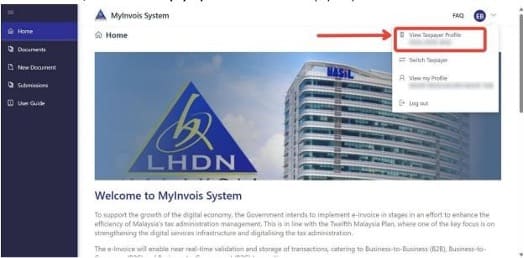
- This step grants you access to view the taxpayer's profile information.
Step 2: Edit ERP
- On the ERP row, click “Edit”.
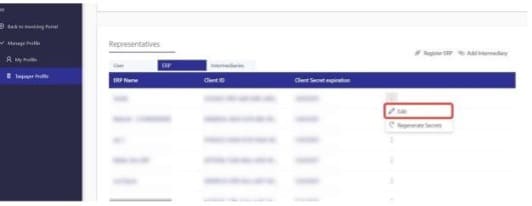
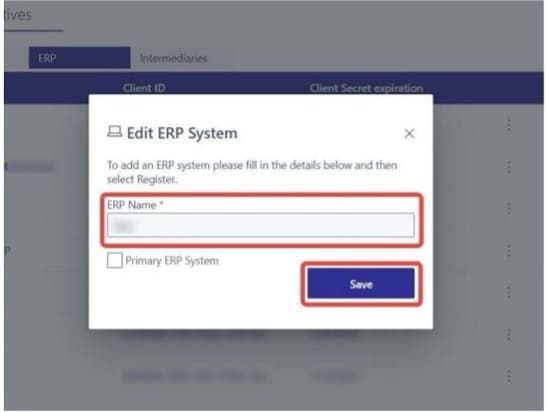
- Update the ERP Name as needed.
- Click on “Save” to save the changes.
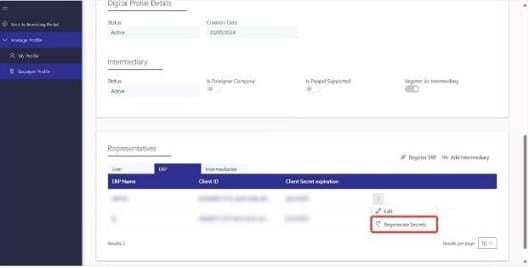
Step 3: Regenerate Secrets
- On the ERP row, click “Regenerate Secrets".
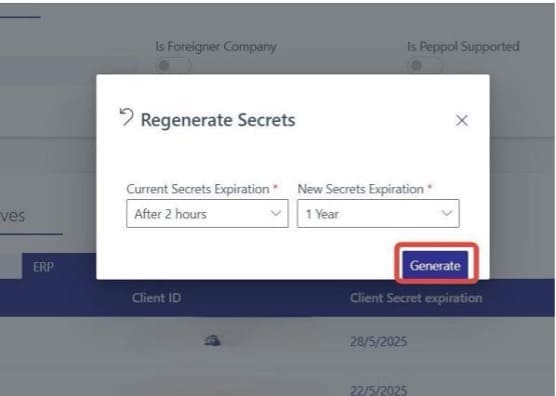
Step 4: Configure Secrets Expiration and Generate
- Select the current and new Secrets Expiration time.
- Click on the “Generate” button.
Step 5: Save the New Secrets
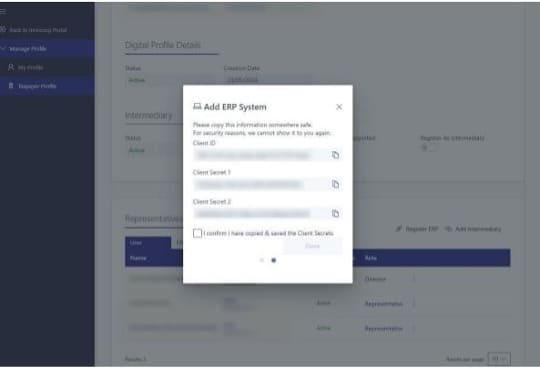
- Copy the newly displayed Client ID and Client Secret.
- Check the box to confirm that you have copied the credentials.
- Click on “Done” to complete the process.
Comments (0)